
I still remember the day I decided to take the plunge. I had a small stock of handmade leather wallets, a rented room that doubled as a storage space, and absolutely no idea where to start. A friend of mine casually mentioned that he had figured out how to start a Flipkart seller account and was already pulling in orders within his first week. That one conversation changed everything for me.
I am not going to sugarcoat anything in this guide. Starting as a seller on Flipkart is genuinely exciting, but it also comes with a steep learning curve, a bunch of documents to arrange, and a few frustrating moments that nobody talks about online. Everything I share here is based on my own real experience the registrations I messed up, the mistakes I made during product listing, and eventually the joy of watching that first order notification pop up on my phone.
If you are someone who has been sitting on a product idea or a small inventory and wondering whether Flipkart is worth it, I want this guide to give you the most honest and practical walkthrough you will find. By the time you are done reading, you will know exactly how to start a Flipkart seller account from scratch and what to expect at every step along the way.
Why I Chose Flipkart Over Other Platforms And Why You Should Too
Before I even visited seller.flipkart.com for the first time, I spent about two weeks comparing my options. I looked at Amazon, Meesho, and even Myntra. But honestly, Flipkart kept standing out for one specific reason: its reach into Tier 2 and Tier 3 cities in India.
Flipkart’s Grip on India’s Heartland
I sell leather accessories. My buyers are not just from Delhi or Mumbai. A huge chunk of my orders I later found out come from cities like Agra, Patna, Surat, and Coimbatore. Flipkart has logistics infrastructure and a buyer base in these smaller cities that Amazon is still catching up to. When I looked at the data during my research, Flipkart was processing a massive volume of orders from markets that Amazon was only beginning to penetrate. For someone like me who was not selling premium products at luxury price points, this was a massive advantage.
This Is One of the Smartest Small Ecommerce Business Ideas Right Now
I genuinely believe that starting as a seller on Flipkart is one of the most accessible small ecommerce business ideas available to anyone in India today. You do not need a fancy warehouse. You do not need a tech team. You do not even need a huge starting capital. What you need is a product, a GST number, and the discipline to show up every day and manage your orders. I started with inventory worth roughly ₹18,000 and scaled to crossing ₹1 lakh in monthly revenue by month three. It is not a get-rich-quick thing, but the fundamentals are solid.
Here is how Flipkart stacked up against the other platforms I considered:
| Feature | Flipkart | Amazon India | Meesho |
| Commission Range | 5% – 12% (category-wise) | 6% – 15% | 0% (but lower margins) |
| Tier 2 / Tier 3 Reach | Excellent | Good, growing | Very strong |
| Registration Difficulty | Moderate | Moderate | Easy |
| Payment Settlement | 7–10 business days | 7 business days | 7 business days |
| Seller Support Quality | Decent | Good | Limited |
| Catalogue Support | Yes, via Flipkart hub | Yes | Basic |
| Return Rate (avg) | Medium | Medium-High | High |
Documents and Requirements I Had to Arrange Before Starting
This is the part that tripped me up the most. I assumed I could just sign up with my Aadhaar and phone number like any regular app. I was wrong. Flipkart requires proper business documentation, and you need to have everything ready before you even begin filling out the registration form otherwise the process drags on for weeks.
GST Registration My Costly Lesson
Let me be very direct here: you cannot sell on Flipkart without a GSTIN. I found this out after spending an entire afternoon filling out the seller registration form, only to hit a wall when asked for my GST number. I did not have one yet. The process of getting a GST registration took me about 12 days because I was trying to do it myself through a tax consultant who was juggling too many clients. My suggestion is to use one of the online GST registration platforms it is faster and far less frustrating. Once I had my GSTIN in hand, the rest of the process moved quickly.
Bank Account, PAN Card, and Address Proof
Flipkart requires a current bank account in the name of your business or your own name if you are operating as a sole proprietor. I used my existing savings account initially and it worked fine. You will also need your PAN card both a scan and the actual number at hand. For address proof, I used my Aadhaar card and it was accepted without any issues.
One thing I noticed is that Flipkart is quite strict about the name matching. If your PAN is in your personal name but your bank account is in a slightly different format say a middle initial is missing it can cause a verification failure. Make sure everything is consistent before you start uploading.
Here is the complete checklist of documents I needed:
| Document | Format Accepted | Where to Get It | My Experience |
| GSTIN Certificate | PDF / JPG | GST Portal (gstin.gov.in) | Took 12 days for me start early |
| PAN Card | PDF / JPG / PNG | Income Tax Department | Straightforward, no issues |
| Bank Account Details | Cancelled Cheque or Passbook | Your bank branch / net banking | Current account preferred |
| Address Proof | Aadhaar / Electricity Bill | UIDAI / Utility provider | Aadhaar worked perfectly |
| Business Name / Trade Name | Typed during registration | Self-declared | Use consistent name across all docs |
| Email ID | Active email account | Gmail / Any email | Use a dedicated business email |
| Mobile Number | Active Indian number | Your phone | Must be accessible for OTP |
Step-by-Step: How to Start Flipkart Seller Account Registration
Now we get to the actual registration process. I want to walk you through this exactly as I experienced it, including the small details that most blog posts skip.
Step 1: Visiting seller.flipkart.com First Impressions
The registration page at seller.flipkart.com is clean and straightforward. The first thing it asks for is your mobile number. Enter it and you will immediately receive an OTP. I suggest doing this entire process on a laptop or desktop rather than on your phone the document upload steps are much easier that way and you are less likely to make typos in critical fields.
Step 2: Filling in Your Basic Business Information
After the OTP verification, you will be asked to fill in your business name, category of products you want to sell, your GST number, and your email address. Take your time here. The business name you enter becomes your display name on the platform, and changing it later involves going through seller support which is more of a headache than you want to deal with in your first week.
I made the mistake of entering my full legal business name in a slightly abbreviated form. It created a minor mismatch during document verification that delayed my approval by three days. Lesson learned: type your name exactly as it appears on your PAN card.
Step 3: Email and Mobile Verification
Flipkart sends a verification link to your email and an OTP to your mobile. Both need to be confirmed before you can move to the document upload stage. This part is simple, but make sure you are using an email address you check regularly. The approval status updates and seller communications all come to this email.
Step 4: Uploading Documents Tips I Wish I Knew
The document upload section supports PDF, JPG, and PNG formats. Make sure your scans are clear and legible blurry or low-resolution uploads are a common reason for verification rejection. I used my phone camera with a white background and good lighting, and it worked well for most documents. For my GST certificate, I downloaded the official PDF directly from the portal and uploaded that, which sailed through without any issue.
One important thing: keep your file sizes under 5 MB each. Larger files sometimes fail to upload silently meaning the system appears to accept them but they never actually go through. I wasted nearly a day before I realized one of my uploads had not registered.
Step 5: Account Approval How Long Did It Really Take for Me?
Once all documents were uploaded and verified, my account was approved in about 48 hours. I have seen people say it takes 24 hours, and I have also seen comments in seller forums where people waited up to a week. In my case, the brief delay was because of the name mismatch I mentioned earlier. Once I corrected it through seller support, approval came within a day.
Here is the full registration flow as a quick reference:
| Step | What You Do | Time Required | Common Mistake to Avoid |
| 1. Mobile OTP | Enter number, verify OTP | 2 minutes | Using a number you don’t have OTP access to |
| 2. Basic Info Entry | Business name, category, GSTIN, email | 10–15 minutes | Name mismatch with PAN card |
| 3. Email Verification | Click link sent to your email | 2 minutes | Checking spam folder if link not received |
| 4. Document Upload | Upload GST, PAN, bank details, address proof | 20–30 minutes | Low-res images or files over 5 MB |
| 5. Verification Review | Flipkart team reviews your documents | 24–72 hours | Not following up if delayed beyond 3 days |
| 6. Account Activated | You receive confirmation email + SMS | Instant on approval | Missing the email check spam |
Getting Familiar with the Flipkart Seller Hub After Registration
The moment my account was approved, I logged in and spent the better part of an evening just clicking around. The Flipkart Seller Hub which is what Flipkart calls its seller dashboard is feature-rich but not immediately intuitive. If you have never used any kind of seller portal before, it can feel a bit overwhelming at first.
Dashboard Overview What Each Section Actually Means
The Flipkart Seller Hub has several key sections: Listings, Orders, Returns, Payments, Growth, and Reports. The Listings section is where you manage your products. Orders is your day-to-day workspace every incoming order appears here and you are expected to act on it within a specific window or you get penalized. The Payments section shows your settlement schedule, which took me a while to understand fully.
The Growth section is something a lot of new sellers ignore, but I found it genuinely useful. It shows you where your products rank, what your conversion rate looks like, and what your competitors are doing in your category. I started paying attention to it around week three, and it helped me make smarter pricing decisions.
Setting Up Your Store Profile and Brand Name
One thing I did early on that paid off later was spending time on my store profile. I added a proper banner image, wrote a short description of what I sell, and made sure my response time settings were configured correctly. Buyers do sometimes check seller profiles before purchasing, especially for slightly higher-priced items, and a complete profile gives them confidence.
Understanding Payment Settlement Cycles
Flipkart follows a 7 to 10 business day settlement cycle after an order is delivered. If there is a return or a dispute, the settlement gets held until the issue is resolved. I was not fully prepared for this in my first month and ran into a minor cash flow crunch when several orders were returned around the same time. My advice is to keep a buffer of working capital for at least two weeks of expected sales before you go heavy on inventory.
Listing Your First Product: What I Learned the Hard Way
Getting my account approved felt like crossing the finish line. It was actually the starting line. The real work begins with your product listings, and I made enough mistakes here to fill a separate article. Let me save you the trouble.
Choosing the Right Product Category
Flipkart’s category structure is detailed and sometimes confusing. For my leather wallets, I had to choose between ‘Wallets’ under ‘Bags, Wallets & Belts’ and a subcategory under ‘Accessories.’ I picked the wrong one initially, which meant my product showed up in less relevant search results. Always drill down to the most specific category available the more accurate your category, the better your organic visibility.
Writing Titles and Descriptions That Actually Convert
Flipkart’s search algorithm heavily weights product titles. The formula that worked for me was: Brand + Key Feature + Product Type + Size/Colour/Material. So instead of ‘Brown Wallet,’ I wrote ‘Genuine Leather Slim Bifold Wallet for Men Brown, RFID Blocking.’ The change in click-through rate was noticeable within the first few days.
For descriptions, I made sure to write in full sentences and include all the key attributes material, dimensions, warranty, care instructions. I avoided using just bullet points because I noticed Flipkart’s algorithm seemed to rank listings with richer text content higher. More importantly, a detailed description reduces customer questions and return rates, both of which matter enormously for your seller scorecard.
Product Images Flipkart’s Requirements and My Actual Setup
Flipkart requires a white background for the main product image, with minimum dimensions of 500×500 pixels. I set up a basic DIY lightbox using a cardboard box, white chart paper, and two desk lamps. It sounds primitive, but the results were clean enough to pass Flipkart’s image quality check. I later upgraded to a small portable photo studio from Amazon for around ₹700, which made a real difference in image quality.
I recommend uploading at least four images per product: main shot, side view, back view, and a lifestyle shot if possible. Listings with more images consistently convert better, and buyers feel more confident about what they are purchasing.
Pricing Strategy for New Sellers
This is where I made my biggest early mistake. I priced my wallets aggressively low to compete with established sellers, not realising that Flipkart’s commission (around 8% for my category), shipping fees, and the occasional return would eat heavily into my margins. Before you set any price, calculate your total cost including product cost, packaging, Flipkart commission, and shipping. Add a minimum 25–30% margin on top of that. I did the math too late and actually lost money on my first 15 orders.
Here is the product listing checklist I now follow for every new product:
| Listing Element | Flipkart Requirement | My Pro Tip |
| Product Title | Max 255 characters | Front-load your most important keywords |
| Main Image | White background, min 500x500px | Use a lightbox for clean, bright shots |
| Additional Images | Up to 8 images supported | Include at least 4 lifestyle shot helps a lot |
| Description | Plain text or HTML supported | Write in full sentences, not just bullets |
| MRP / Selling Price | Must match GST invoice | Always calculate post-commission margin first |
| Stock Quantity | Accurate count required | Keep buffer stock don’t list 0 inventory |
| Shipping Configuration | Choose Flipkart logistics or self-ship | Flipkart logistics is easier for beginners |
| HSN Code | Required for GST compliance | Find it via HSN Search on GST portal |
Flipkart Seller Login and Managing Orders Daily
Once your listings are live, the real rhythm of being a seller begins. And honestly, this part is where most people either build momentum or fall behind.
Using the Flipkart Seller Login Portal Efficiently
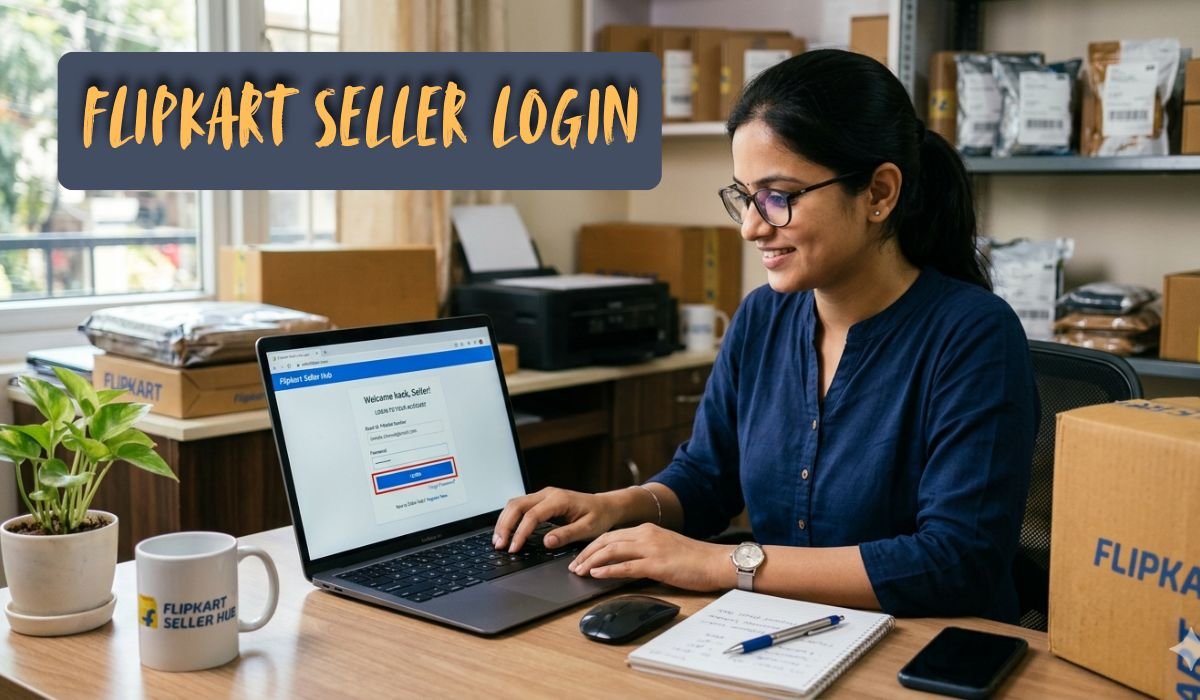
I make it a habit to check my flipkart seller login first thing every morning, usually before 9 AM. Flipkart expects sellers to process orders within a defined time window if you miss it, you get a cancellation chalked against you, which hurts your seller score. I have my login saved and use a dedicated browser tab that I never close during the day.
One feature I found useful is the mobile app for sellers it is available on Android and lets you get real-time order notifications. I set up push notifications so I know the moment an order comes in, even if I am not at my desk.
Order Processing and Packaging My Daily Routine
My routine goes like this: I log in, check for new orders, print the shipping labels directly from the portal, pack the products, and schedule a Flipkart logistics pickup. For packaging, I use bubble wrap for each wallet, followed by a mailing bag. I also include a small personalised thank-you card, which I firmly believe contributes to fewer returns and better ratings.
Flipkart provides shipping labels that you print and attach to your packages. Make sure your label is legible and that the barcode is not creased or covered by tape. Delivery personnel scan these labels at pickup, and a damaged barcode causes delays.
Handling Returns and Customer Complaints What No One Tells You
Returns are a reality of selling online and I had to make peace with that early. Flipkart has a return window of 7 to 30 days depending on the category, and buyers can initiate returns for various reasons including ‘change of mind.’ In my experience, about 8 to 10% of my orders were returned in the first few months.
The key thing I learned is to respond to every customer complaint via the seller portal within 24 hours. Flipkart tracks your response time and uses it in your seller score calculations. Even if the complaint is unfair, respond professionally and attempt to resolve it. Your long-term visibility on the platform depends heavily on this score.
Mistakes I Made and What You Should Avoid as a New Flipkart Seller
I want to be honest here because I think most guides on how to start a Flipkart seller account gloss over the mistakes part. Learning from my errors will save you real money and time.
As a seller on Flipkart, your reputation is built slowly and can be damaged quickly. There is a concept called the seller scorecard that combines your order defect rate, cancellation rate, and late dispatch rate into a single health metric. I did not pay attention to this for my first three weeks and ended up with a dip in visibility that took almost a month to recover from. If you are serious about your Flipkart seller account, check your scorecard every single week.
Pricing Too Low and Losing Money on Commissions
I already mentioned this above, but it bears repeating: I priced my products without fully accounting for Flipkart’s fee structure. The commission varies by category and typically runs between 5 and 12 percent. On top of that, there are fixed fees per order, weight-based shipping charges, and collection fees. When I finally sat down and calculated my actual profit per order, I was genuinely shocked at how thin my margins were.
Poor Packaging Leading to High Returns
My early packaging was careless I was using regular envelopes with minimal protection. I received several returns citing ‘damaged product’ within the first two weeks. Upgrading to proper bubble wrap and rigid mailer bags cut my damage-related returns by more than half. Good packaging is not an optional expense; it is a business investment that pays for itself immediately.
Ignoring the Seller Scorecard
As I mentioned, this was my biggest operational mistake. The seller scorecard directly impacts where your listings appear in search results. A seller with a poor score gets pushed down in rankings even if their product is priced competitively. Monitor it weekly and act on any metrics that are trending in the wrong direction.
Here is a quick summary of my biggest mistakes and what I do differently now:
| Mistake I Made | Impact It Had | What I Do Now Instead |
| Priced products too low | Lost money on first 15+ orders | Calculate full cost + 25-30% margin before listing |
| Used flimsy packaging | High damage returns, bad ratings | Bubble wrap + rigid mailers for every order |
| Ignored seller scorecard | Visibility dropped, less organic traffic | Check scorecard every Monday, act immediately on flags |
| Name mismatch on documents | 3-day approval delay | Match name exactly with PAN card before submitting |
| Uploaded low-res images | Poor CTR, listing felt untrustworthy | DIY lightbox setup, min 4 images per product |
| No dedicated business email | Missed important seller communications | Created a separate Gmail for all Flipkart notifications |
| Didn’t track return rate by product | Kept restocking items that returned frequently | Weekly return analysis discontinued 2 products early |
My Honest Results After 3 Months Is It Actually Worth Starting?
I think this is the section most people skip to, and I completely understand. You want to know if all of this effort is worth it. Here is my honest answer.
Revenue Numbers and Realistic Expectations
Month one was rough. I processed about 40 orders, had a 10 percent return rate, and made a net profit of roughly ₹4,200 after all fees and packaging costs. Not exactly the success story I had imagined. But I also made all the mistakes I described above in that first month. Month two was better I corrected my pricing, improved my packaging, and doubled down on the two products that were getting the most traction. I crossed ₹60,000 in revenue and cleared around ₹14,000 in profit. By month three, I was at ₹1,10,000 in revenue and approximately ₹28,000 in net profit.
These are not extraordinary numbers, but they represent a real business that I built from scratch while managing everything myself. I was working about two to three hours per day on Flipkart-related activities alongside my other work.
What I Would Do Differently If Starting Again Today
I would start with fewer SKUs maybe three to five products instead of listing everything at once. Focused attention on a small catalogue produces better results than spreading your energy across 20 mediocre listings. I would also invest in product photography from day one instead of trying to cut corners.
I would also read about the Flipkart Advantage program earlier. It is a service where Flipkart stores and ships your products from their own warehouses (similar to Amazon FBA), which significantly improves delivery speed and, as a result, your conversion rate. I only explored this in month four, and I wish I had started with it sooner.
Final Thoughts
If you are still sitting on the fence, let me say this clearly: learning how to start a Flipkart seller account is genuinely one of the better decisions you can make if you have a product to sell and the discipline to stay consistent. It is not passive income. It is not overnight success. But it is a real, scalable business that you can build with a relatively small starting investment.
Everything I have shared here is drawn from my own experience the missteps, the small wins, and the gradual learning that comes from actually doing the thing rather than just reading about it. The process of setting up your Flipkart seller account takes about three to five days if your documents are in order. The process of building a profitable business on that account takes months of consistent effort.
Start with the documents. Be patient during the approval process. Invest in good packaging and clean product images from day one. Keep a close eye on your seller scorecard and your margins. And check in every single morning because in ecommerce, showing up every day is half the battle.
I hope this guide saves you some of the time and money it took me to figure all of this out. If I could go back and hand this article to myself before I started, I would have had a far smoother first month. Good luck and I genuinely hope your first order comes in faster than mine did.
Also Read About :- How to Sell on Amazon for Beginners